 Corpus 4AR
AR anatomy on a real body
Anatomy, on the person in front of you.
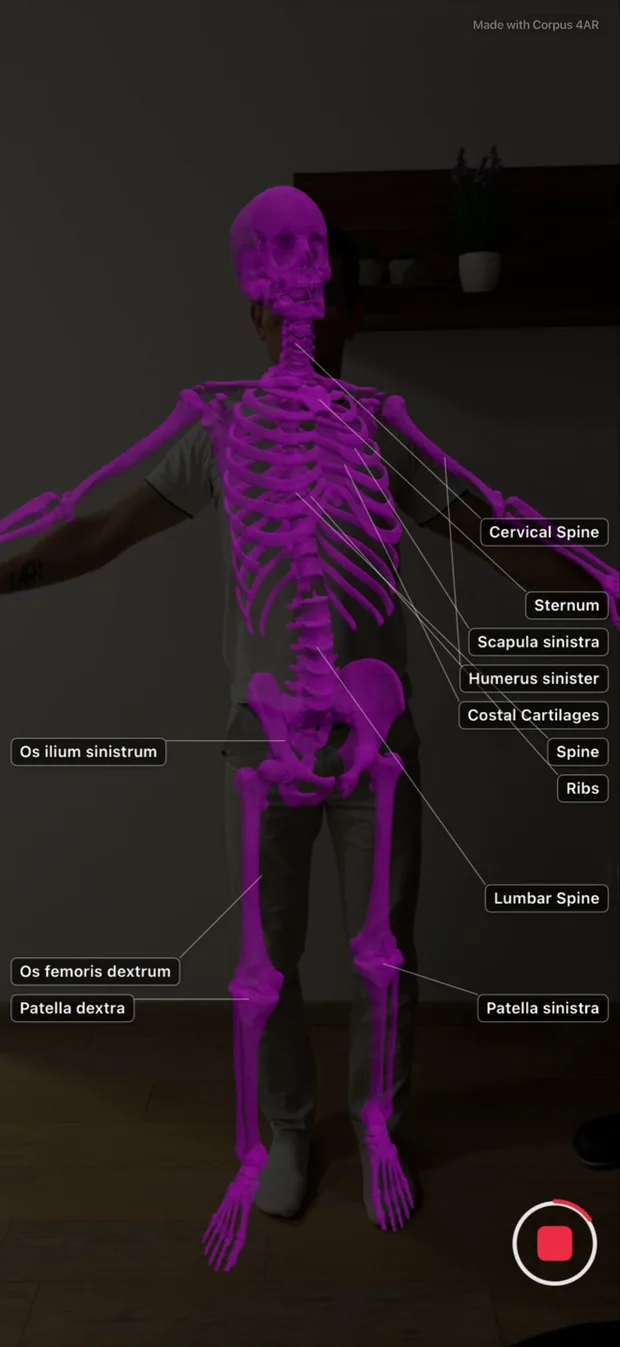
Point your iPhone's rear camera at someone. Corpus 4AR tracks their body and overlays anatomically accurate bones, organs and muscles in real time — in the room, at the exam table, on a study partner.
No account·No analytics·Nothing leaves your phone
- 36Organs
- 57Bone structures
- 221Muscles
- 314Searchable structures
Bone structures are the selectable units — “R. Hand” is one structure built from 27 individual bone meshes. See the full index →
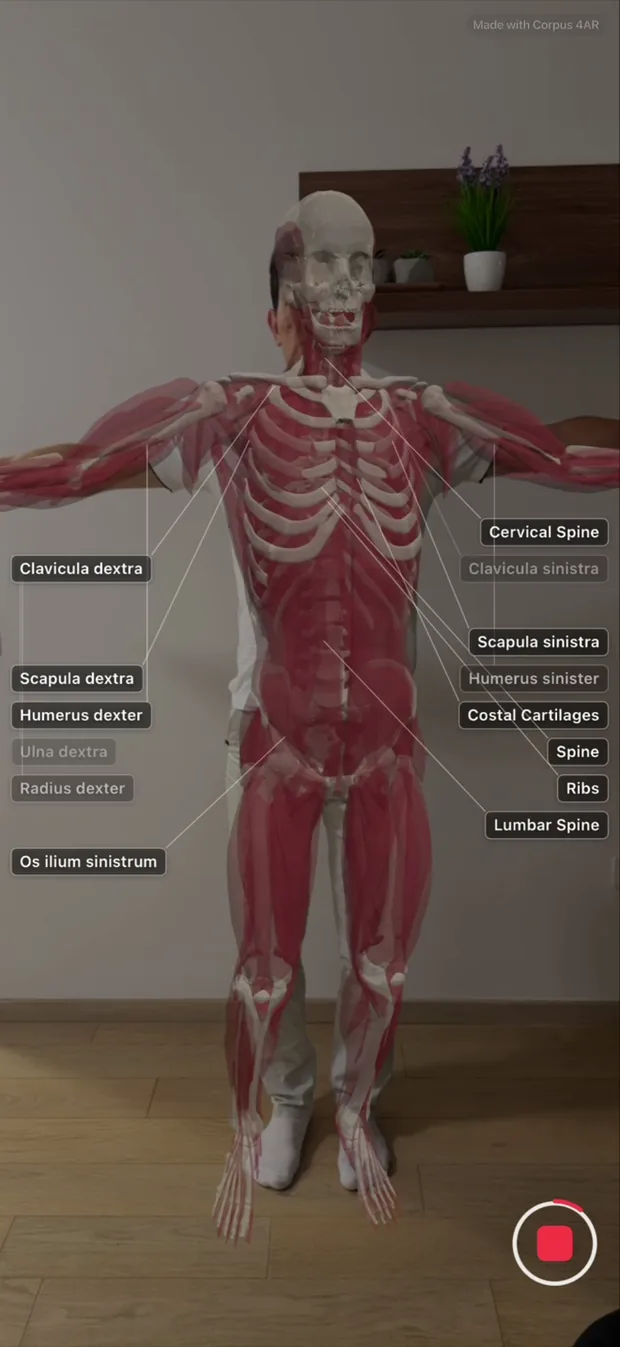
Three layers, on or off, in any combination.
Corpus 4AR draws each system separately, so you can build the view you need instead of peeling back a fixed stack.
Bones
The full skeleton tracked to the body — skull to phalanges, with labelled vertebrae, ribs and costal cartilages. On by default the first time you open the app.
Organs
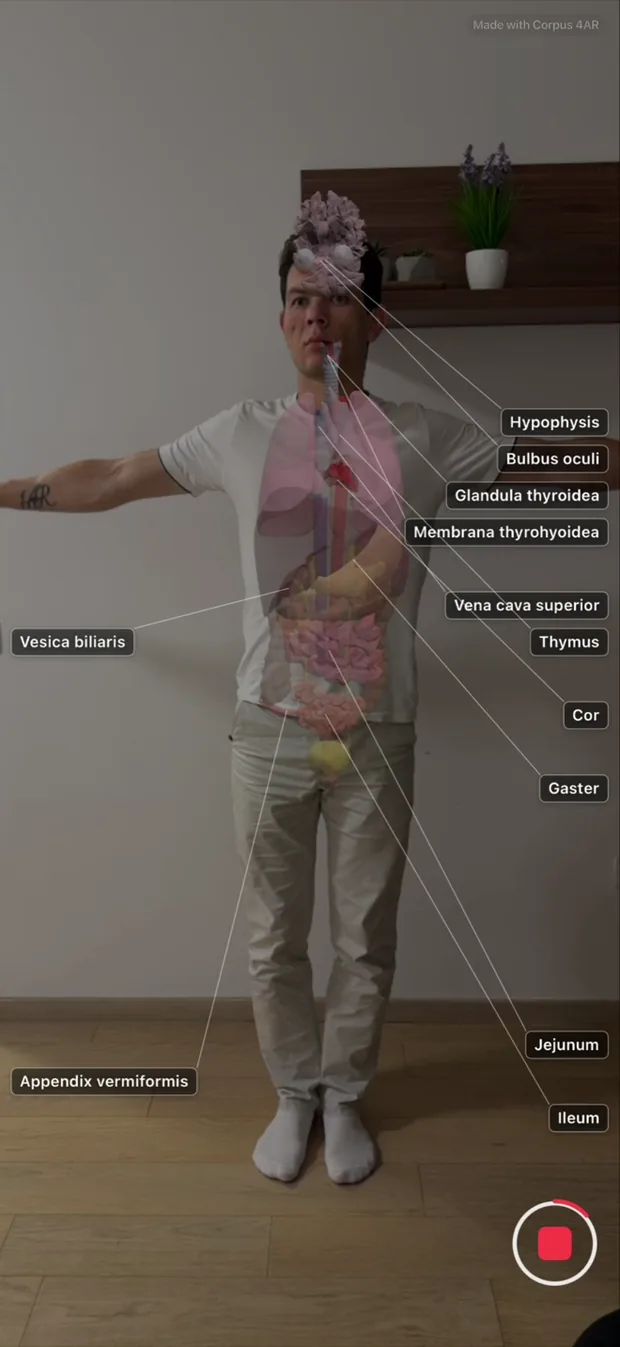
Heart, lungs, liver, kidneys, the digestive tract and more, sitting where they actually sit inside the torso. Filter the layer down to the body systems you care about.
Muscles
Major muscle groups layered over the skeleton. Muscles stay unlabelled unless you focus one, so the view doesn't turn into a wall of text.
All three can be on at once. Overlay opacity is yours, from 5% to 100%, and a separate camera-dim slider darkens the room without dimming the anatomy.
Search it, isolate it, read about it.
- Search that speaks your vocabulary. Type English, Latin, an eponym, an abbreviation, or the word you actually use. 118 aliases and 7 named groups — Spine, Cervical Spine, Lumbar Spine, Ribs, Costal Cartilages, Quadriceps, Hamstrings — resolve to the right structures. Accents and ligatures fold, so coração and œsophage both land.
- Focus mode. Tap a result and everything else disappears — just the heart, inside the body. Focus several at once. Your focus set survives closing the app.
- Info cards for every organ and bone. A rotating 3D model with the Latin name from Terminologia Anatomica, common name, function, description, common conditions, and the surface landmark you'd palpate for. All 93 organ and bone entries are complete. Muscles don't have info cards.
- Eight body systems. Narrow the organ layer to digestive, respiratory, cardio, nervous, urinary, reproductive, endocrine or lymphatic.
How it works, and where it's approximate.
-
Rear camera in
ARKit body tracking finds a person and estimates a 3D skeleton. Rear camera only — there is no selfie mode.
-
Two more signals
Apple's on-device Vision framework adds person segmentation and 2D body pose; horizontal-plane detection finds the floor. On iPhones with LiDAR the floor signal is sharper — LiDAR is not required.
-
Sixteen rigged groups
Head, neck, torso, pelvis and per-side limb segments carry the meshes, so anatomy follows the joints instead of floating in front of them.
-
RealityKit renders it
The anatomy is composited over the live camera feed at the opacity you choose, at camera frame rate.
Where it's approximate
Scale is estimated, not measured. Corpus 4AR sizes the body geometrically from the floor plane, the silhouette and ARKit's own estimate — there is no calibration step. The app states a typical rendered-height accuracy of about ±5 cm standing with a clear view of the floor, degrading when the subject is seated or crouched. That figure is the app's own stated expectation, not a validated measurement.
The overlay tells you when to trust it. A tracking pill reads Searching, Approximate or Strong, and explains itself when you tap it.
- Searching
- Approximate
- Strong
It's a reference model, not this person's anatomy. Meshes come from one standardised library. Real anatomy varies with pose, respiration, body composition, prior surgery and congenital variation.
Private by construction.
Corpus 4AR processes everything on your iPhone. No accounts, no analytics, no cloud round-trip.
- No third-party code. The app ships zero SDKs — no analytics, no advertising, no crash reporter. Every framework it uses is Apple's own.
- No network path in the shipping build. Release builds contain no reachable server call. There is no login, no sync, no remote config.
- Apple's own label agrees. The App Store privacy section for Corpus 4AR reads Data Not Collected.
- The only way out is you. Photos and clips are written only when you tap save or share. The one outbound channel is a Send Feedback button that opens your own mail app.
Built for two rooms.
Medical students
Study surface anatomy and organ relations on a real body instead of a plate. Hand a classmate the phone and point at your own spine, ribs or kidneys. Revise before an exam with the body you already have.
Clinicians
Show a patient where their heart sits, or why their shoulder hurts, at the bedside in about thirty seconds. No login, no setup, no projector.
Everything the app can show you, listed.
Every organ, bone and muscle in Corpus 4AR — all 314 structures, with Latin names where the app carries them. Check before you download.
- Digestive
- Respiratory
- Cardio
- Nervous
- Urinary
- Reproductive
- Endocrine
- Lymphatic
You'll need
- An iPhone with an A12 Bionic chip or newer — iPhone XS, XR, 11 and later
- iOS 17 or later
- Portrait orientation, rear camera
- A reasonably well-lit room
- Someone to point it at — 1–3 m away, whole body in frame
iPhone only. English only. LiDAR is optional and only sharpens the floor estimate. The microphone is optional, for narrating video clips.
What it isn't
- A medical device
- A measurement tool
- A diagnostic aid
- A substitute for a cadaver lab, an atlas, or a clinician
Corpus 4AR is an educational and reference tool. It is not intended for diagnosis, treatment, or any clinical decision-making. See the Terms.
Free. All of it.
Every feature is included at no cost. There's an optional tip — $2 to $50 — that unlocks nothing, because nothing is locked.
See the skeleton on a real body in about thirty seconds.
Free on iPhone. iOS 17 or later.